Quote Agent
AI Line-Item Editing for Construction Quotes
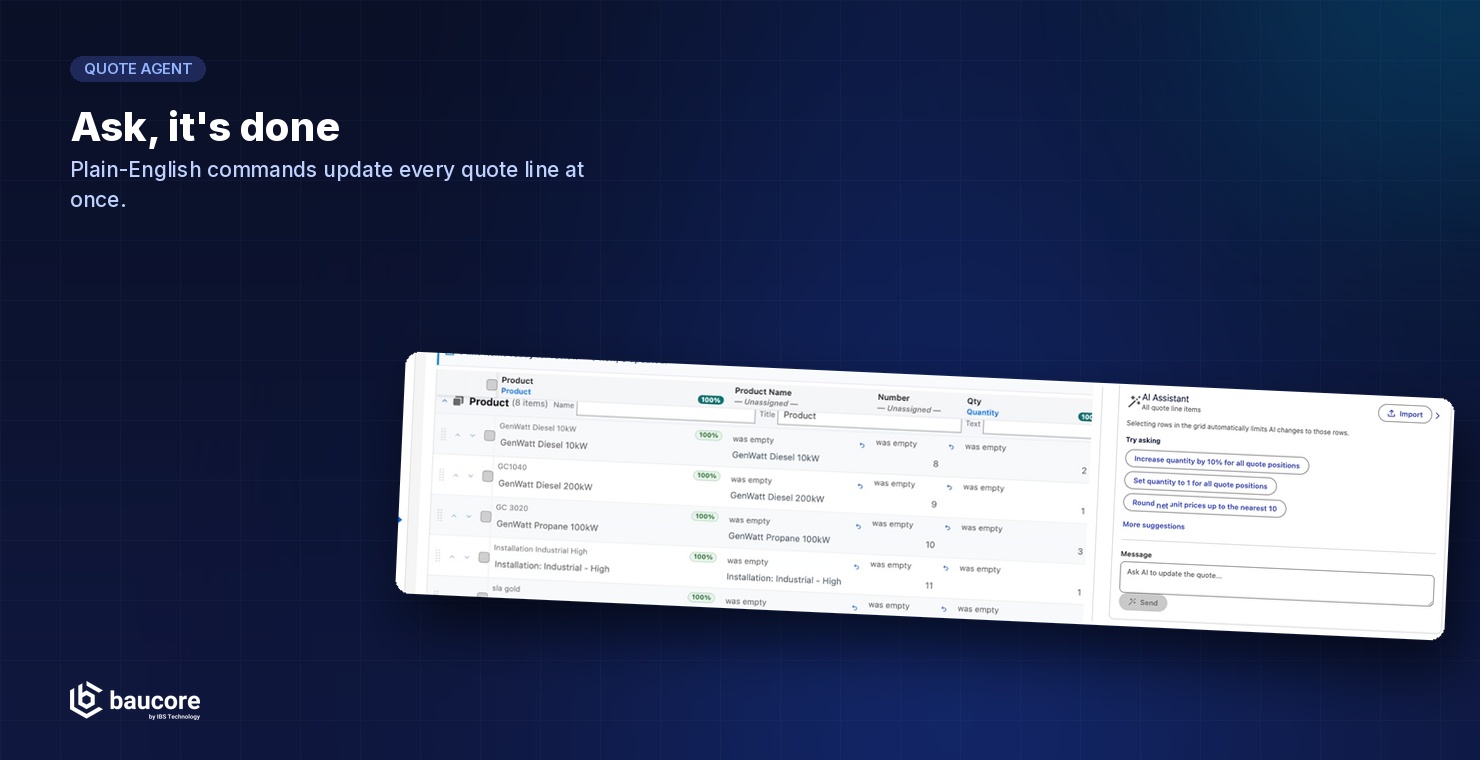
Quote Agent is Baucore's built-in AI assistant for the quote editor. It turns pasted spreadsheet data into structured, catalog-matched quote lines, and lets sales teams edit dozens of line items at once with a single plain-English instruction.
The Problem
Every multi-line construction quote starts the same way: a spreadsheet, an email table, or a PDF schedule that has to be retyped, line by line, into the quoting system. When scope changes late in the bidding process, reps re-key quantities and prices across dozens of positions by hand.
THE SOLUTION
Quote Agent brings AI directly into the Baucore quote editor. Paste a table from any source and Quote Agent matches each column to the right quote field. Ask it, in plain English, to update quantities, round prices, or fill in missing data across every line at once, then review and apply the changes with full visibility into what changed.
What Quote Agent Does
Paste-to-Import
Paste rows copied from Excel, a manufacturer price list, or an email. Quote Agent recognizes comma-, semicolon-, and tab-delimited data and aligned multi-space columns.
AI Column Matching
Quote Agent maps pasted columns, such as manufacturer, catalog number, quantity, and fixture type, to the correct quote fields and shows a confidence score for each match.
Conversational Mass Edit
Type an instruction like "increase quantity by 10% for all quote positions" and Quote Agent applies it across every matching line item.
Suggested Actions
Quote Agent proposes common bulk edits, such as adjusting quantities or rounding prices, so reps don't have to phrase every request from scratch.
Default Value Fill-In
For fields left empty after import, such as list price, Quote Agent applies a default value across all matching rows, with the option to overwrite existing values or leave them untouched.
Review Before You Apply
Quote Agent shows every AI change inline, with the old value struck through and the new value highlighted. You can undo each change individually or as a full batch before you commit it.
HOW IT WORKS
Paste line items into the quote editor from any spreadsheet, price list, or email table
Quote Agent analyzes the data and matches columns to quote fields
Review the matched preview, adjust field mapping if needed, and set defaults for empty fields
Apply the import to add all line items to the quote in one step
Use plain-English commands to bulk-edit quantities, prices, or categories at any time
Review every proposed change before applying it, or undo instantly
See it in action
The same steps, running on a real quote. Each screenshot is followed by a close-up of the part that does the work.
Paste the rows exactly as you received them
Open the import panel and paste straight from Excel, a manufacturer price list, or the body of an email. There is no template to fill in first, and no need to reorder columns to match the quote.
- Quote Agent recognizes comma-, semicolon- and tab-delimited data and aligned multi-space columns
- A header row is optional. Quote Agent works it out either way
- Nothing is written to the quote until you review and apply
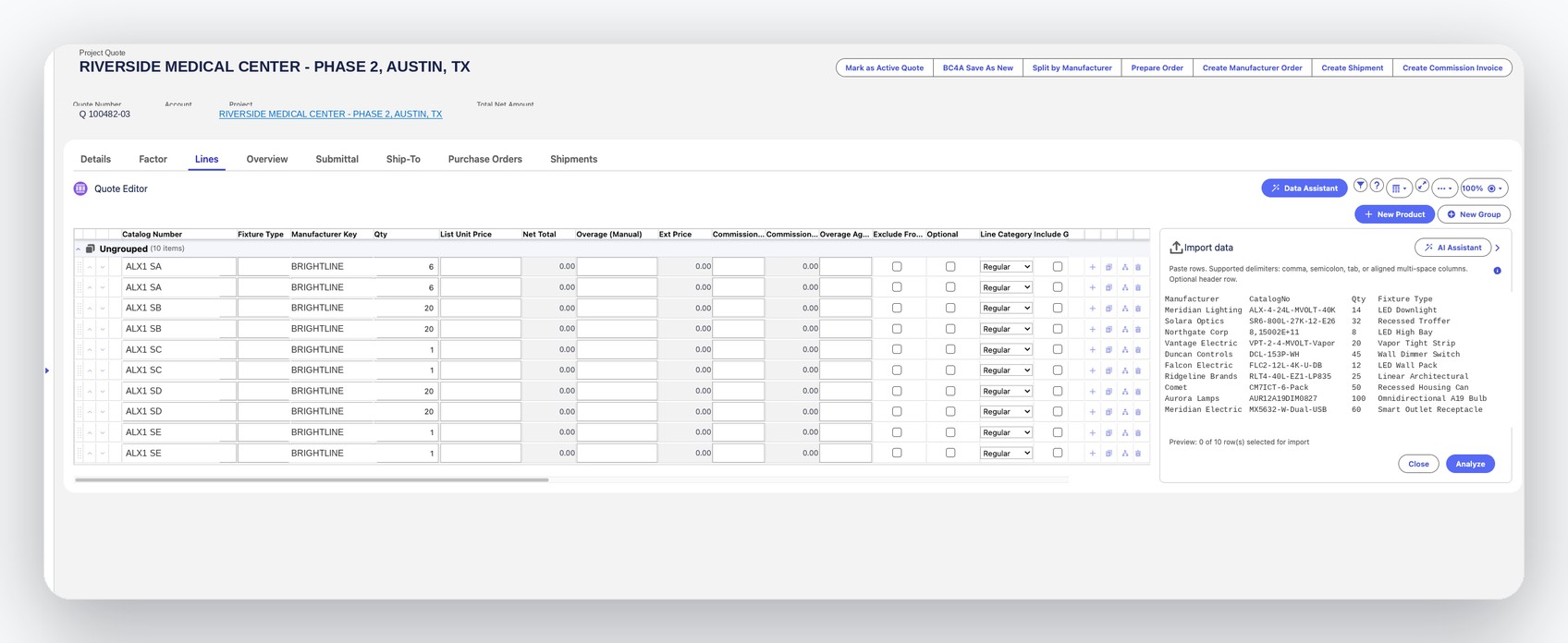
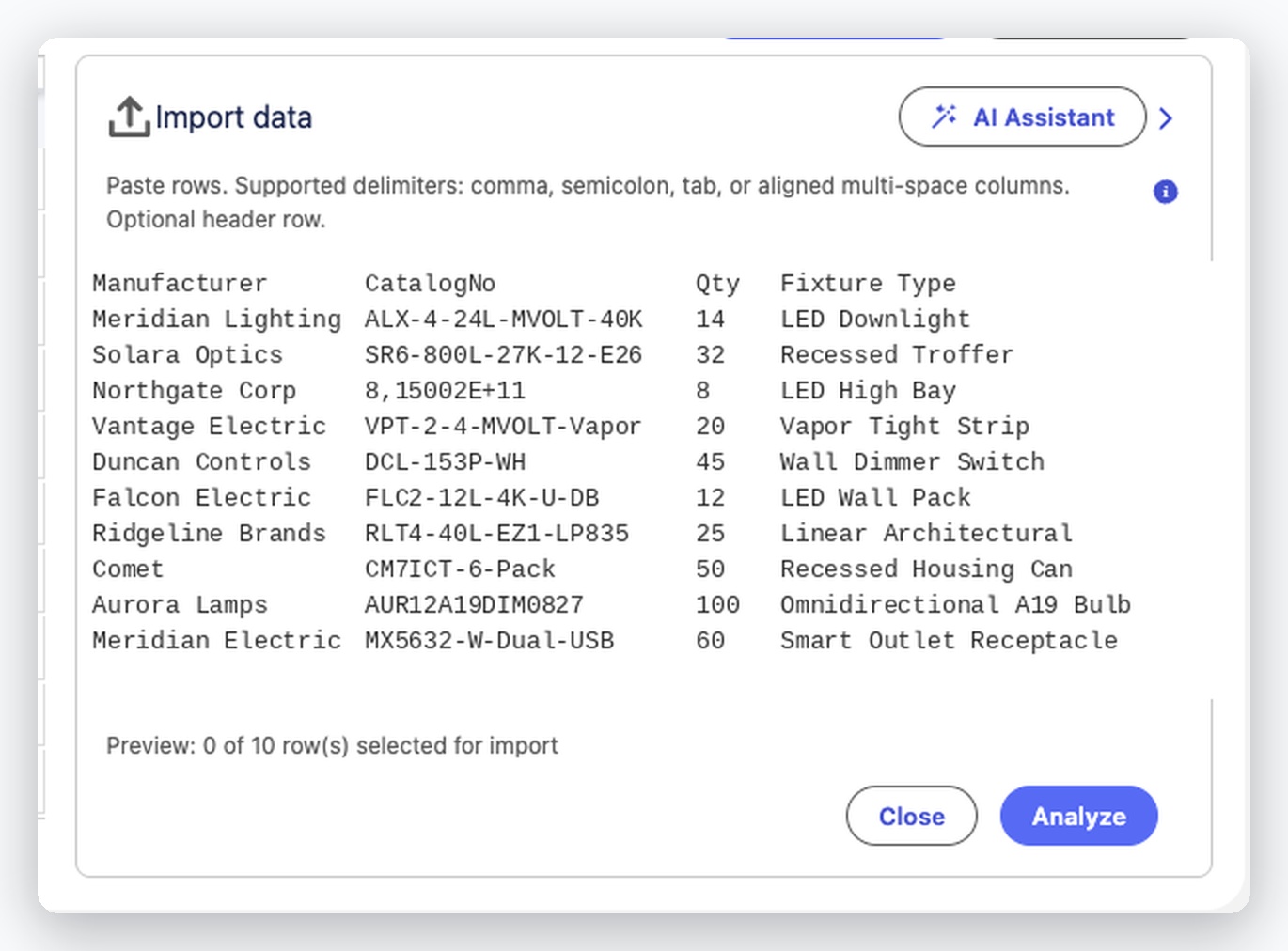
Ten pasted rows, still raw text. "Analyze" hands them to Quote Agent.
Every column mapped to the right quote field
Quote Agent reads the pasted block and maps each column to the quote field it belongs in, scoring how confident it is about each one. You see the whole import as it will land, before a single row is committed.
- Quote Agent matches manufacturer, catalog number, quantity and fixture type
- A confidence score per column shows you where to double-check
- Change any mapping yourself, or discard the import outright
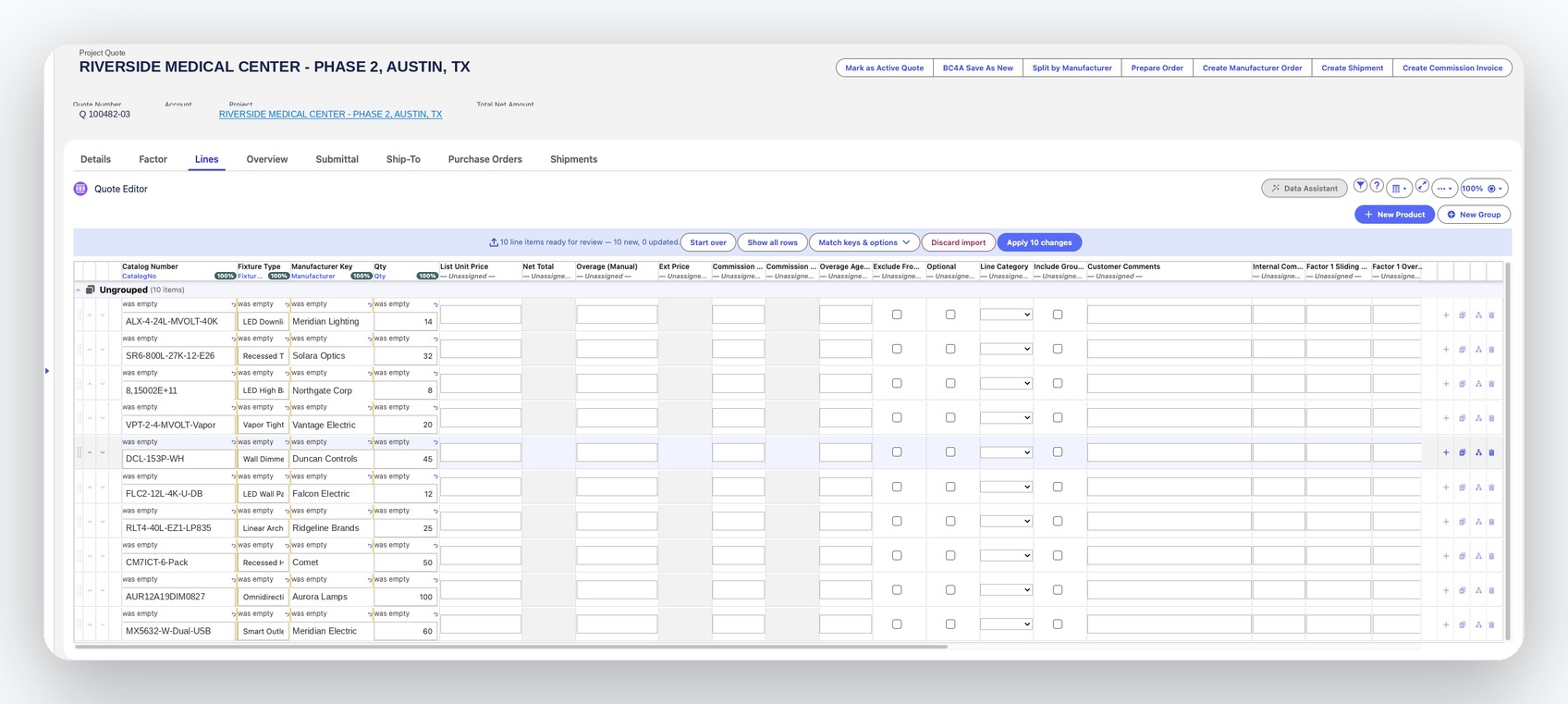

Ten line items ready for review, every matched column marked 100%, then "Apply 10 changes".
Change every line with one sentence
Ask for what you need in plain English. Quote Agent works out which lines are affected, applies the change across all of them, and shows the old and new value on every row it touched.
- "Increase quantity by 10% for all quote positions" updates every matching line at once
- Suggested actions cover the common edits, so you don't have to phrase each one
- Select rows first to limit the change to just those lines
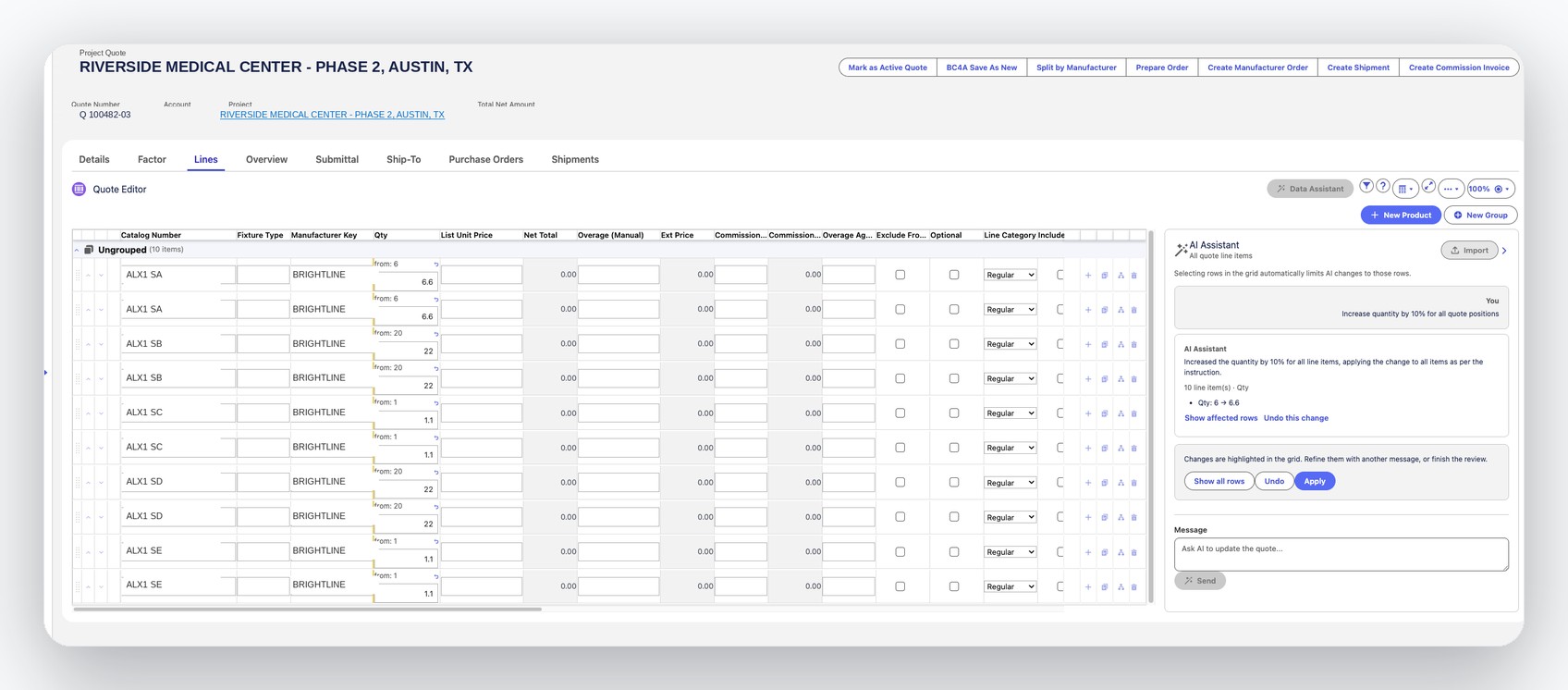
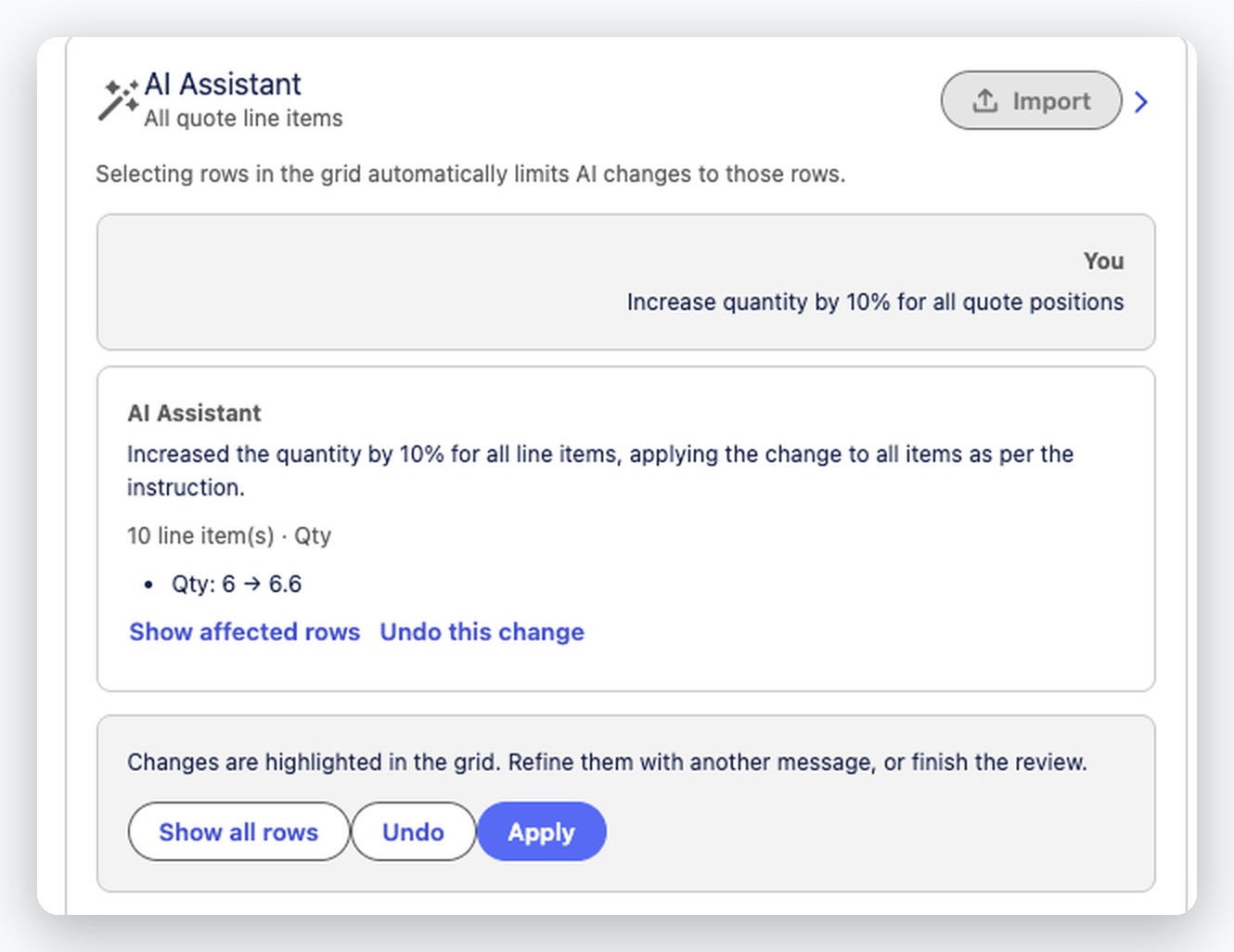
The instruction, the ten lines it changed, and an undo, all before you apply anything.
Set the fields the source data never had
Price lists rarely carry every field a quote needs. Give Quote Agent a default and it fills that field across the whole import, by default only where the field is empty, so it touches nothing you already entered.
- One value applied across all matching rows in a single step
- Overwriting existing values is opt-in
- Works on any unassigned field, including price
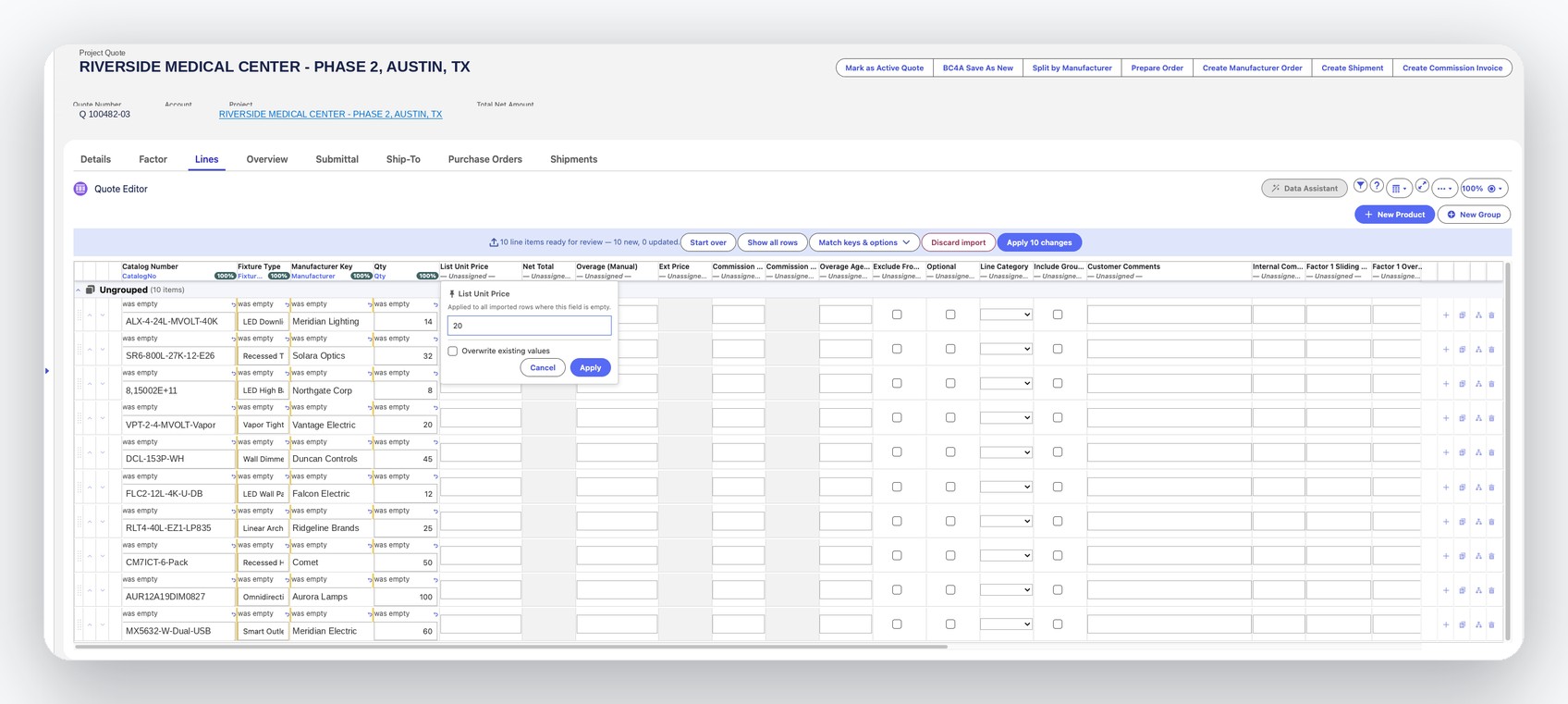
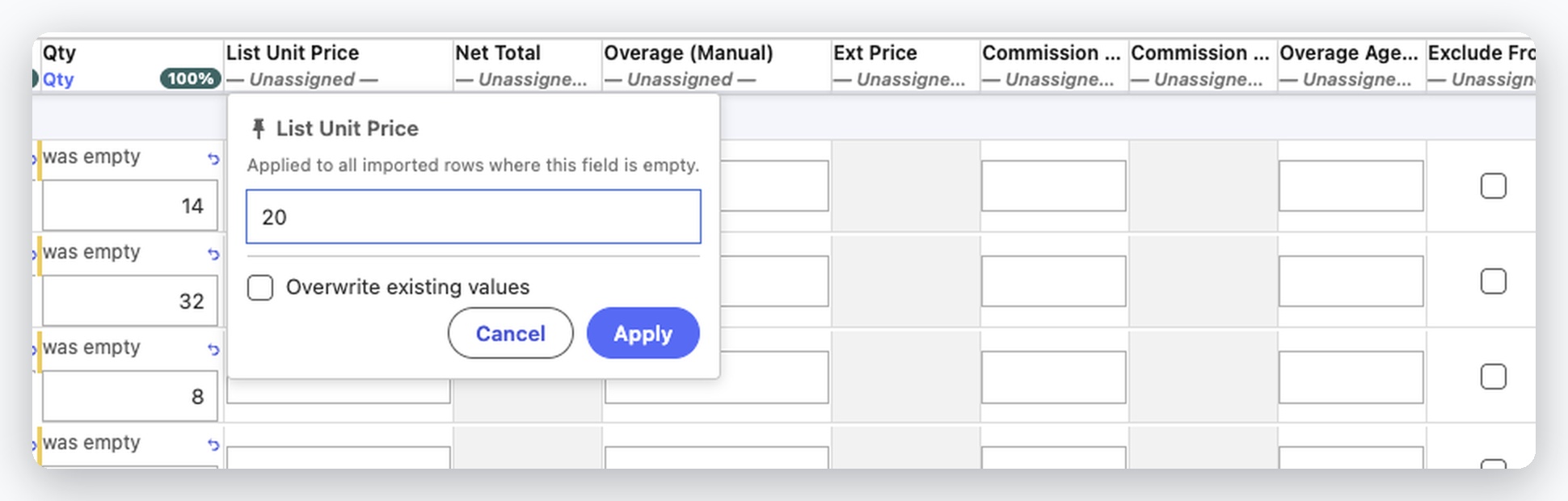
"Applied to all imported rows where this field is empty". Overwriting takes a deliberate tick.
Quote Agent flags exceptions instead of burying them
Some rows don't match cleanly. Quote Agent applies confident matches, holds anything uncertain or unmatched for review, and gives you a right-click menu to fix, clear, or roll back a value, then apply that same correction to every other flagged row in one click.
- Confident matches (100%) apply immediately; partial and no-match rows are held for review
- Fix one flagged row and apply the same correction to every other flagged row at once
- Quote Agent skips no row. Each one lands in the right queue
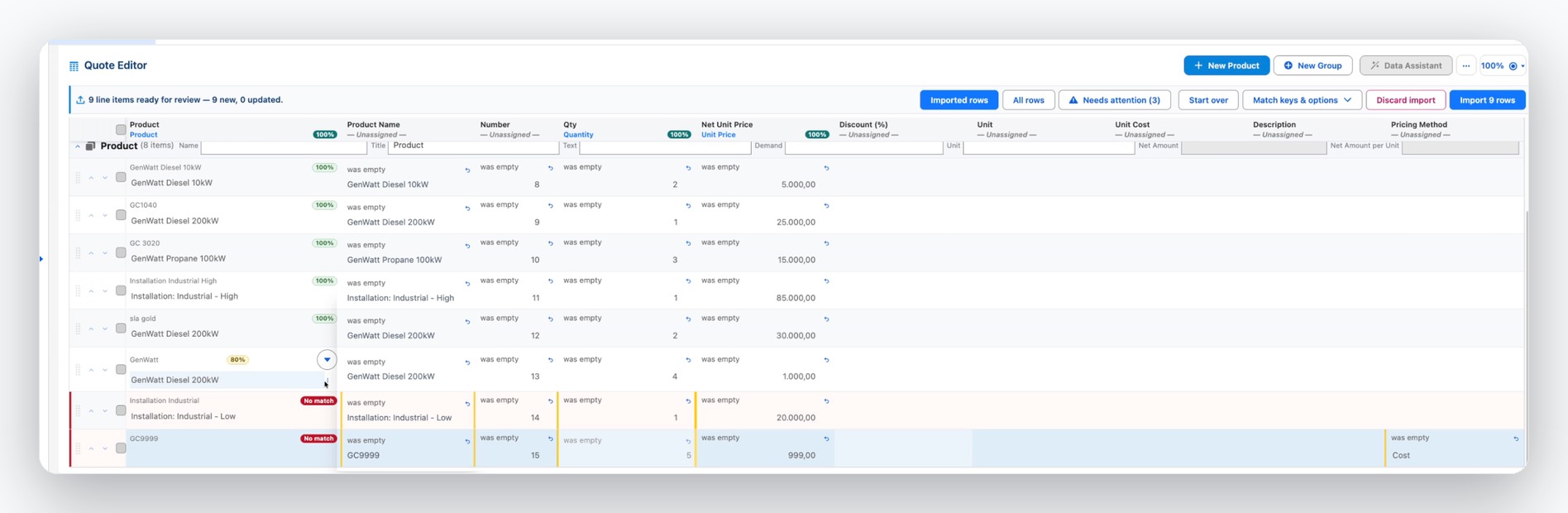
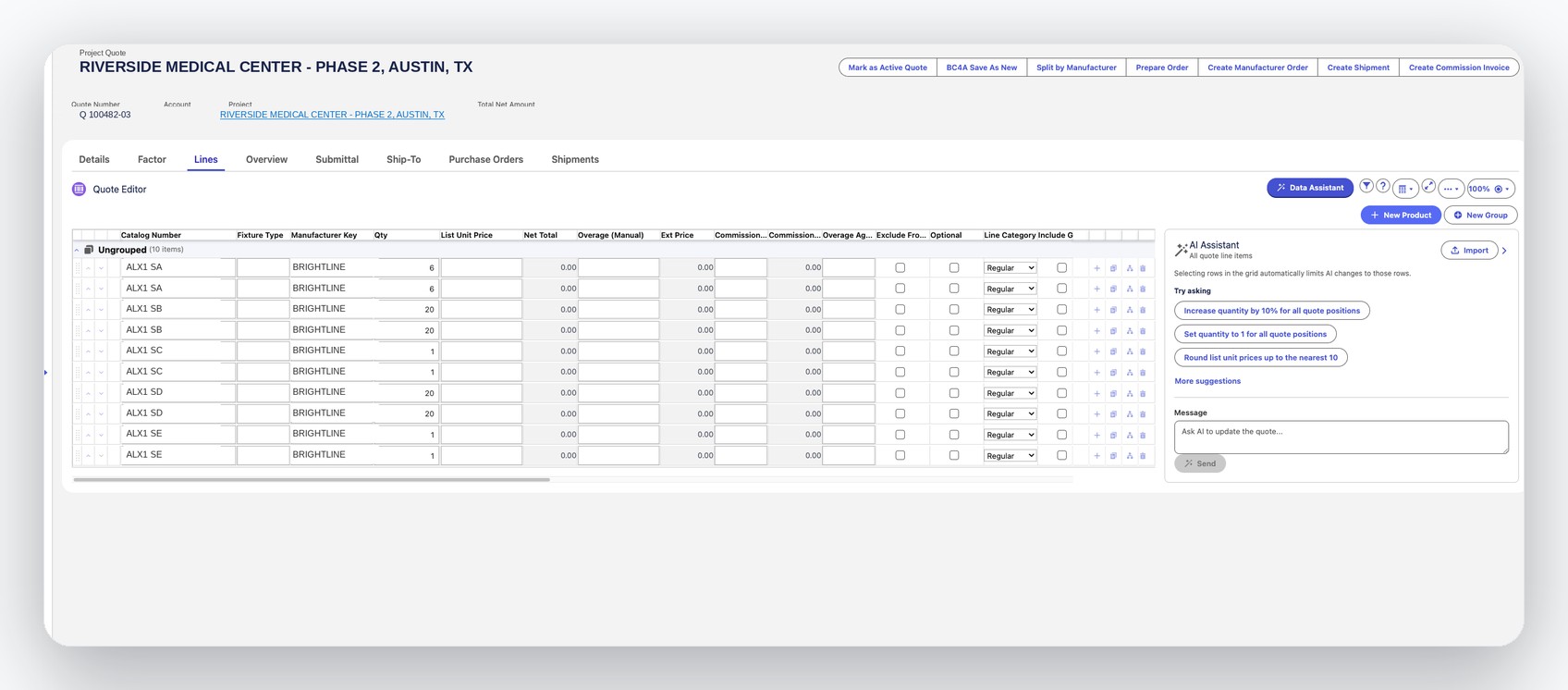
The AI Assistant stays on hand for bulk edits, even while three rows are still flagged for review.
Business Value
Less time spent on data entry, more time spent selling
Who This Is For
Ideal for any team whose quotes routinely run to dozens of positions and start life in someone else's spreadsheet.