Your Inbox Is Running Your Agency
Watch the recording
Enter your details and we'll send you instant access to the recording.
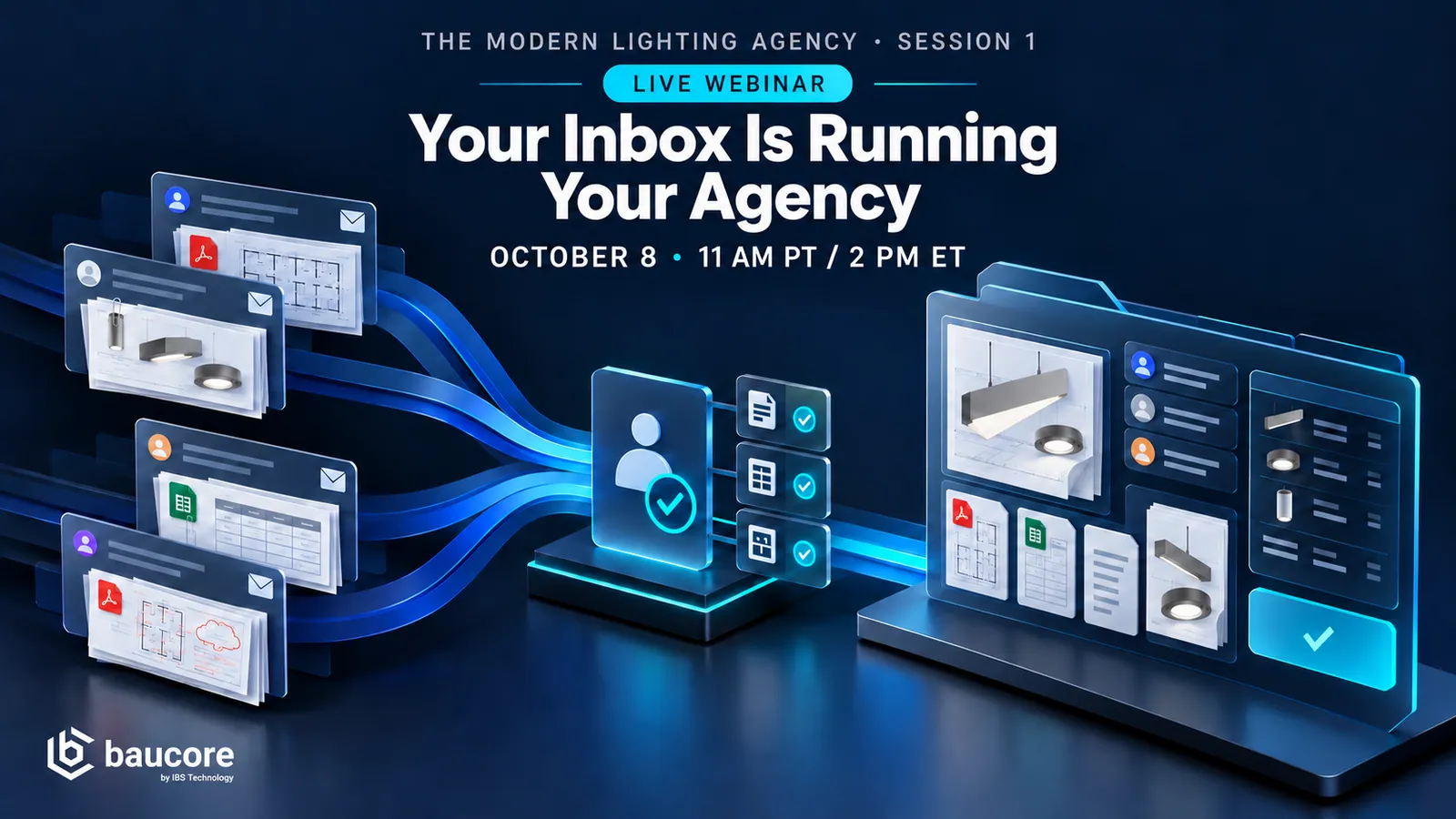
Agencies run thousands of quote and service emails through shared inboxes, and none of it becomes structured work until someone re-types it.
We follow a real quotations inbox: a pricing request arrives with the scope buried in an attachment, a second distributor asks about the same project in different words, a revision lands mid-quote, and a delivery question arrives that is not a quote request at all. You see what each one should become, what the evidence behind each extracted line looks like, and where a person stays in the loop.
For quoting, operations, customer service and agency leadership.
Agenda
- 1Email volume is the symptom, not the cause
- 2BOM extraction and RFQ intake are different jobs
- 3Live: one inbox, five different intents
- 4Live: two distributors, one project
- 5What a quote-ready handoff should contain

What the recording covers
Chapters of the webinar recording. Watching the video requires a free access link.
0:00Intro
Series title card: Modern Lighting Agency Series, webinar 1 of 3, with host Mike Arnold.
0:06Welcome and agenda
Mike Arnold welcomes everyone, introduces the three-part series and explains that today is about quote intake triage.
1:55Who Baucore is
17 years in building materials, built on Salesforce as both ERP and CRM, and who the platform serves from spec to commission.
5:10The problem: a messy inbox
The steps behind handling every quote email, and what a typical agency morning in the shared inbox looks like.
6:59Demo: dashboards by role
The manufacturer overview, the triage queue and the quote manager dashboard, each tailored to the person using it.
8:29Demo: how emails become projects
How a shared inbox feeds Baucore Inbox, how AI matches five different emails to one project, what the status colors mean, and sorting by bid date.
10:56Demo: validating an inquiry
Contacts, accounts and distributors created automatically, drawings scanned for scope, and the address and project type filled in with evidence.
17:01Demo: the project record
The general contractor and engineer of record found in the documents, then the single project record that acts as the command center, with its full history and timeline.
22:59Demo: bill of materials and quote
The lighting schedule extracted from the drawings, quantity differences between two emails flagged with evidence, and the inquiry promoted to a quoter.
26:33Demo: duplicates and extra bidders
More emails matched to the same project instead of creating duplicates, so the triage person is done in about 30 seconds each.
29:56Summary and Claude integration
A recap of how Baucore Inbox works, followed by a preview of Claude connected to Baucore to answer questions about projects and quotes.
33:00ROI calculator and website
The time-saving model for quote intake and quoting teams, and the resources on baucore.app.
35:05Q&A
Routing rules for quote requests, the next webinars in the series, what happens to the project when RFQs are removed, document storage, exporting to Oasis and Agile, and how to get the recording.
Read the full transcript
Automatic transcription of the host, lightly edited. Names and numbers in the demo data may contain errors.
Modern Lighting Agency Series, Webinar 1 of 3. Your Inbox Is Running Your Agency, with Mike Arnold, VP Sales North America.
Okay, well, good morning, good afternoon, good evening to everybody joining around the world.
I'm your host today. My name is Mike Arnold. This is the first in a series of three webinars that we'll be hosting over the next month and a half or so. It's called the Modern Lighting Agency Series, and today's webinar is focused on your inbox is running your agency. So this is really all about how we can help with one of the number one pain points in the Lighting Rep Agency business, which is request for quotation, quote, intake triage.
So we'll start today framing up a little bit about who Baucore is, where we come from, what we're really all about. This is one part of the overall solution. We'll do a live demo today, looking at real project data, real inbound emails, and how the Baucore inbox solution helps to save people time, helps to give back time to their team, be more accurate with their quotes, you know, less overtime, all those things.
We hear this is probably the number one pain point with lighting agencies is this particular topic. In later series, later in the month, we will focus on other topics and I start with our website. I'll finish with our website as well. This is a great resource that you can see all of our events, everything about all of our product features, the agents that we offer, including this Baucore inbox that will be deep diving on today, even landing pages for lighting rep agencies and so forth.
Let's get started. I promised to make this short. I think we should wrap out of here in about 30-35 minutes to give you guys a little bit of time back in your day.
So first a little framing who we are at Baucore, how this fits within your agency. So Baucore has been around for a long time, 17 years, and our sole focus in the construction industry is the building materials industry. People that are involved, companies that are involved in project-based selling. This has been our expertise for a long time.
We are a partner with Salesforce. Salesforce, if you haven't heard about it, $42 billion company, the largest business software applications company in the world. They are our partner. Baucore is built on Salesforce technology. That gives us all kinds of capabilities that we don't have to think about and deal with all of the basic CRM 101 kind of stuff. So, Baucore is both an ERP and a CRM. We are positioning it as an end-to-end agency management platform from spec to commission.
So again, we're built on that Salesforce platform. You don't need to buy anything from Salesforce. We're what's known as an OEM partner. Our solutions come fully packaged, end-to-end turnkey, don't need to buy anything from Salesforce. So hopefully everyone in this call are from lighting rep agencies. We also serve the needs of building product manufacturers, HVAC rep agencies, architectural rep agencies, and so forth.
This solution is built for your entire agency. Today, we're obviously focusing on the quotations, the inside salespeople doing the heavy lifting, the triage. But there's also your outside sales team, the A&D reps, the contractor reps, order entry, the controls and field tech people, the folks who are trying to reconcile commissions, and then the principals at the end of the day that are trying to keep this ship steered in the right direction and getting the volumes up as much as possible.
So only a couple of slides here, again, framing, Baucore for Agencies is an end-to-end project lifecycle management platform. It addresses all aspects of the project lifecycle from the beginning stages. When you have an architecture rep out there working with a lighting designer on a basis of design, all the way through the bidding process, the quoting process, which we'll spend a lot of time today obviously talking about quote intake and quote triage, and then all the way into the order entry shipment process and then finally into commission.
We are shipping today an end-to-end agency management platform. So this is, again, where we're focusing the idea here. Again, we hear it consistently, one single project view across the entire lifecycle of the project. So we'll see some examples of how that looks. And again, today we're going to be focusing on the Baucore Inbox technology. This is our AI-powered email intake and automation solution. And we're even focusing that conversation around quote intake. This same technology can be used for customer service. Where's my orders? Here's an estimated ship date.
Here's a commission statement that's coming from a factory. Baucore, can you automate reconciling that to the right records, creating records, and so forth? So that's where our product suite fits. Baucore sits in the middle. That's your accounts, contacts, projects, activities, orders, shipments, all of that kind of stuff, built on an open architecture that you can integrate. Things like SharePoint, things like QuickBooks, even plug Claude into it, and we'll see a sneak preview of what Claude looks like connected to Baucore here in a minute. So Basic challenges in this flow.
First things first, we've got a messy inbound inbox, lots of inbound emails coming in, classified. What is this email? What is it all about? Is this a request for quote? Is it a revision, some sort of estimated ship date, etc. Open the documents, download the documents, extract the content from the documents, from the email, quote line items, et cetera, et cetera. Match or create contact records, account records, project records, scope line item records, all with a human in the loop for review and hand off to the next stage in the process.
So let's start with, you know, what does your day look like? Well, here's my day. I'm pretending, of course, I'm a rep agency lighting rep agency here in Northern, California And here's my inbox and it's not even 8 o'clock in the morning, and I've already got a string of emails That look like they're on the same project different projects and the list goes on and on and on and on I hope I can Get on top of this. I have no idea which one's most important This is chaos and you know, especially if you've got a shared inbox and multiple people looking at this the chaos multiplies exponentially.
So this is what it was today, and tomorrow with Baucore, here's what it looks like. I just happened to be on my manufacturer overview page.
I just happened to be looking at the performance of my manufacturer partners over the last 90 days. How many of you in your agency have had to stop what you're doing, go ask an administrative person two, three days later to pull a report to get this kind of level information that's in real-time updated about my full performance manufactured by manufacturer. That's just a sneak preview.
Again, other capabilities. Let's talk about that inquiries triage queue that we talked about. Every page in Baucore is customized really for the persona in your company that's using it. I'm a quote intake triage person. This is what I see when I land in the morning. I'm a quoter. I see a different list. I see what's been assigned to me.
I'm a quote manager. I see a dashboard, a roll up of all this activity. In fact, let's just jump there real quick to a dashboard, dashboards as a quote manager, a dashboards as a firm principle, dashboards as a customer service person. So again, what needs my attention today? How can I prioritize what's going on? I see I've got 53 that are in the queue, five that I'm currently working on and validating a few that are hitting the engine, the Baucore inbox engine right now.
List views, different ways to sort and so forth. So again, I'm an intake person, I'm going to spend my time triaging what I see here in the Baucore inbox. First things first, how do these emails end up in Baucore? Well, if you've got a shared inbox, quotes at your agency.com, Baucore Inbox sits on top of every email that gets in there, it sends it to the email processor and it shows up right here in your dashboard. And I can see whether Baucore Inbox has completed and done the triage on those emails yet or not or if they're still processing.
I can see here also, all right, well, there's those emails that I've seen. And Again, this is pretty messy. See, this is a lighting RFQ for Hound and Whisker TI in Gold River, Capitol City Electrical. Here's another one that looks like the same project, Hound and Whisker Veterinary Clinic, Gold River. Here's another one, Hound and Whisker Veterinary Clinic. Here's another one, and another one, right? Five emails, all kind of saying the same thing, not sure exactly.
The number one job of a quotes intake person is to what? it's to resolve that email to a project that's in the system, if it doesn't exist created, if it does marry it up to that record. I can see that the project has already been created. All of these different emails that call the project slightly different, our AI has matched them to this particular project. And If it didn't match it well or if it was below a confidence threshold, it'll tell you, hey, this doesn't look like this project or it might be this one over here.
I can see some project status indicators. So these are all yellow, they're in progress. As I scroll down here, I can see some that are red, some that are green. And this is, again, helping the intake person, helping the project manager, whoever is looking at a project record at any time can see what the status is of that project.
That's my red flag, is it green, and so forth. So there's an indicator, something might be due here. I'm past due on this one because it's red, that the bid date has passed or something like that. I can see that the bid date has been extracted, and three of these people had a bid date at 5 PM and we'll validate that and see it. A couple of people were just lazy. Hey, I'm just forwarding an email that I've got or I don't even know, add me to this project.
I can see that the requester has been also assigned to this particular inquiry and then a summary of what's going on with the project. So, can you sort your inbox by bid date? I don't think so, but you can in Baucore inbox. Sort by bid date, prioritize what you're looking at. So let's jump to the first one. I can see that I've already got into the validation queue.
I'm going to open up that record and I can see here the lighting RFQ, blah, blah, blah, inquiry, and I can see all the evidence on the right-hand side. I see two emails, in fact, that came in from Tony Ramirez. And here's the first one, and there's some details, and Tony's a contractor, and here's an email address, and a phone number, and address of the company, and so forth and so on. More than likely you know who this partner is, this customer, this contractor, but if you didn't, that would be a lot of work to go copy, paste, copy, paste, phone, fax, email address.
Baucore has already extracted the person way down the list in this threaded email that happens to be the original requesting contractor. So if I see here Tony Ramirez at Capitol Electric, I can see Capitol City electrical. There's Tony right there. I can see his email address, his phone, the contact, the accounts already been created. He's already, the account has already been classified as an electrical contractor.
Tony's contact records already been created.
Capitol City Electric has been added to the project as a participant. The project record has been already created. So I'm seeing a theme here, right? Here's a bunch of contacts. As I continue down the road here, I can see things like a bid day time. I can see that this has been forwarded to an electrical distributor, Rachel Tran.
Where's Rachel here from Sacramento Valley Electric? There's Rachel right there. Her contact information, the company account has been created, they're also listed as a distributor and added to the project. But I see other distributors here, like where did all these people come from? Well, again, five emails has come into the system since this morning, Baucore has been in the background working on all that and adding other participants to this project.
So my job is to validate this thing, push it on to the quoting people and so forth. So I can see that's been forwarded to Rachel and Rachel forwards it on to me, the, you know, the quotes person or the quotes inbox person. And I can see here the two attachments that are related to the project. Well, let's validate Hound and Whisker Gold River. Well, that looks a little bit different than this, which was the title given by the contractor called Hound and Whisker TI. That's what they referred to it, well, we want to try to get as close to the possible that the truth is possible. So Hound and Whisker, if I open up that document, all of my documents, by the way, are available right here. So The documents from all of the emails have been downloaded. The folder structure has been created within your document management system.
The documents have been classified.
Documents have been scanned and is looking for scope and additional context. right so clicking on the lighting takeoff there's a finished plan for some reason and then here's an extract of the drawings now whether this drawing set is 40 pages or 400 pages Baucore inbox will scan through the entire set no longer do I have to you know hunt and peck through a 50 or 60 page document looking for specific information well the first thing I can see here is Hound and Whisker, Gold River is the name of the project that has been resolved to.
I can see here a project team, and here is a bunch of great information, right? Here's an address. Let's start with the project details.
So I've got a project here. I can see the street address on Gold Express Drive.
That looks right: the suite number and Gold River, California. The address has been captured correctly. Then I can see, oh, this thing's animal plant and fish facility. Well, AI says, hey, this looks like a vet clinic. I'm going to categorize it to your project types, and this is the best fit, the best match.
Clearly, if this is coming in and it says this is bidding, then the project stage is now bidding. If it says in the email something like, hey, this is design development stage or we'll look for budget pricing, the project phase would be something different. So AI is now making some assumptions on your behalf, filling in data where it makes sense, where it's got a high level of confidence, because this is good data, right? For some of you who have to report to your factory principals, hey, how much business are you guys doing with Lithonia in veterinary clinics in 2026?
Easy reporting, right? So enriching that project information as it goes along. Here's the bid date, October 22nd, 5 p.m. Where did this come from? Nobody talked about 3,700 square feet in the area, but again, as I look through this email, bid date, intent, due dates, quotes needed by all of that basic information has been scraped, has been enriched on that project record.
So I can change that, any of these details if I want to. 3,744 square feet. That's kind of interesting. Where did that come from? Oh, it came from the general data on the project, which was up here. It's 3,744 square foot tenant space. So again, AI is trained to look for certain information, enrich the information. I see that I've got the tenant.
Here's the tenant.
How do you wish to go reserve the end user? How often would you like to capture who that person is for after the sale service and follow-on Opportunities correctly identified. There's no contact there because there's no contact here either. What about the general contractor? He's mentioned in a lot of emails, but not by personal name. Here's Lauren Miller. Who's Lauren Miller? Here's Wells Construction, auto mapping. Well, this was an existing contact that was automatically mapped to the contact in Baucore.
Here's this email address, phone, fax, all of that kind of good stuff. But wait a minute, it says pre-construction manager. Where did that come from? Well, if I look here, doesn't say anything about pre-construction manager here. I'm gonna zoom into that so everybody can see it, right? Lauren Miller, here's his contact information. So who's Lauren Miller?
Well, here's my contact record for Lauren Miller. Here's all the projects that he's related to. There's that Hound and Whisker project, right? So three dimensional pivoting between contacts, accounts, projects seamlessly, effortlessly. Who is Lauren Miller? Well, through one of our apps called PipeLaunch, which is a sales intelligence tool, we matched him up to his LinkedIn profile, Lauren Miller coming from LinkedIn, and that's enriched his account record, or his contact record, I should say, with his contact.
Okay, so now we've got Lauren Miller. We've got the general contractor. We've got the MEP guys here. Optimized energy and facilities. Alexander Nalkin, or Knight Nalkin. So, optimized energy facilities. There's Alexander Nalkin, and I saw him on the planet. Who's Alex Batista?
Huh, well, Alex Batista is not in the directory, but if I scroll down here in the drawings to the electrical pages, I can see that Alex Batista's stamp is the engineer of record on this project. So it answers the age-old question, who's on first within this firm? Hey, it's nice to know who the architect of record is and the firm principal that might be assigned to it in addition to the job captain or whatever his role might be.
So again, contacts matched or created on the fly and then looking in certain areas like the project directory, stamps, title blocks for specific details, and so forth. So Let's see, any other contacts? I think that probably rounds it up. Let's move on to the scope.
Architects, MEP, etc.
Again, here's all a bunch of other participants on the project. It's probably worth taking a look at this project record right now. Hound and Whisker, before I go too much further just to see what's the big picture? We talked about that single project record so important within an agency, right? One single source of truth. What's going on with this project?
What's the holistic view? This is your command center for this project. It's got everything that started in it six months ago. I could see all of that activity going back to initial meetings, lunch and learns, design development sessions, on these decorative lighting fixtures. right? So All that history from the architectural route, from whoever was involved, phone calls, meetings, tasks, all of that activity is automatically associated with the contact, with the project, with the quote, with whatever that activity is related to, even down to the level of a quote line item that you're trying to get a substitution on or get clarification on because the catalog number is wrong, right? That communication is stored in all the right places.
Nobody has to drag and drop a message into a folder and wonder where it lands. Everything lands in the right place. A timeline that shows me that overall project history, going back in time, how convenient is that? Key dates, key events, My participant list fully managed, fully filled out, right? Notice contractor loyalty and performance. This tells you at a glance, do we work with these companies a lot?
Are they favorable to our company, to our brand, to our agency? So here's a quick thumbs up, thumbs down. It looks like Optimize Energy has never not been a friendly specifier, maybe. But lo and behold, there's also a interior designer. And so if that interior designer might have been captured five months ago, probably was captured five months ago, when the architecture rep went and visited this firm.
Marigold Interiors is our interior designer. That's their role in this project. So now I'm stitching together the whole story. And as the project gets sold, and now it moves into production and you probably have other contacts, field people, etc. that get added to the single project record. Oh hey, here's BOQ. It's an early BOQ. That's that early design development document that was worked on by the A&D rep and they could see, oh well, we talked about these four or five different items, right?
So there's a history of that. I can see all my inquiries there's the five messy inbound emails that without doing anything by the time I walked in the door this morning. They're all there. They're all organized by last email date right, I can see I've got a couple quotes already created on this one was a Budget quote and the other one is the one that we've begun working on. So that's the project record. That's the Command Center for the project.
Now let's jump back to this Bill of Materials. Let's take a look at what's going on with this. We've got our BOM that's been extracted. Oh, lo and behold, we've got two here because this was one of those messy emails, right? The first one came through with just the attachments of the drawings and then the second one comes through and Tony says, hey, oops, I forgot the takeoff. Here's my takeoff. Here's the document right and here's that document and so let's start comparing the two so I'm gonna just scan down here to the electrical lighting schedule so the lighting schedule I didn't have to go hunt and peck for it it was automatically extracted can see her fixtures a through emx and I see here this one's 34 yep 34 I can see Metalux Cooper, it's a sub-brand of Cooper. Cooper was parsed out as the manufacturer.
Metalux is still in the product name. But I can see 24 MMS, blah, blah, blah, dash, UNV, 24 MMS, LCT, UNV, right? So this is the critical catalog number that's been extracted, the tag that's been extracted, and the rest of this and then the manufacturer that was extracted. Now the rest of this is good and valuable information. And I got to keep popping back and forth to this plan page, but Baucore Inbox concatenated all those important details that will get lost otherwise, right? I'm building my quote. I don't care what the voltage is, I'm validating the voltage in my next step. So the description is rich, right? It's all that information that's based on there. So I see, okay, 34.74, yep, 34.74.
And then I say, oh, the second email came in with a different set of counts. So there's my recent email and oh, wow, 38.6.34.
So in fact, 38.6.34, right? Those quantities are different.
And Baucore Inbox is like, hey man, you've got some issues here.
The A quantity went from 34 to 38. Here's your evidence. the lighting takeoff was the evidence.
Quantity for A1 went from 7 to 6. Here's your evidence. So correlation notes, warnings, hey, we've enriched the product quantities with a count sheet from those sources. And here's some things that you might want to look at. Okay, so that's the BOM. We validated, all right, this might be worth the phone call, you know, to the contractor, hey, do you have these quantities right?
And so forth.
I see my source files here, again, transported, document folders created, open, triaged automatically for all these contacts for the scope items. All right, I've validated this, I've selected that, that was my stage. I'm gonna go ahead and promote this to a quoter.
So here's my quote.
So the quote has now been created.
Here's my overview, again, tying it back to that single project record. Here's my earlier quotes that were created on this project months ago, The one and the one that I'm currently working on. So we'll, this is part of our webinar series in late November. It's the quote to order process. So I'll stop right there with that. And then, all right, so we've done our job.
This inquiry is now assigned a quoter.
And so, Great, now what about the rest of these, right? So this one's been assigned a quoter, let's look at this next one.
Well, you know, what's this really telling me? Megan, this is one of those duplicate, you know, inquiries. Megan's from Foothill Electric, and she's forwarding a count to, you know, to the rep agency from Marcus Bell and Delta Pacific Electric, who's another electrical contractor, right? Maybe it's the same document set, maybe it's slightly different, maybe it's not 40 pages, it's two, right, and they name it something different.
So again, this project was automatically matched. So the project already existed from the first email that came in at 402 this morning, now at 408. Oh, well, you've already got this project. It was automatically matched. Don't create a duplicate. And then sure enough, Foothill Electric Supply, there they are already added as a, you know, as a distributor. All the contacts already, there's really not a lot for me to do here.
If there's any BOM extraction issues, then I can see that here. You know, her takeoff was the same. Apparently there was a change in the design and nobody cared to update the lighting fixture schedule.
So here's again, any kind of discrepancies, warnings.
You know, here again, the quantities here are different between the email and the fixture schedule that might be something as a warning.
So I've already, you know, I've just assigned this to Quoter, my job is done, I did 30 seconds. I see all the details, I see it's been validated, You know, my job is done. So again, if I go back to the Hound and Whisker project, and I'm in that quotation mode, I see that. You know, the quotation. Once I go to print that, then all those participants are already there.
Let's assume that we're done. Here's all my participants. And If somebody added a participant two minutes ago, another contractor, there they would be on your list. So Again, quotation creation, different subject for another day. But just to close out on this, yet another example, Hound and Whisker This guy just hey, can you please give us pricing on it?
throw us in the mix Well, that one's already done, right? It doesn't even give you a take off So as a result, I don't have a BOM for him But it's been resolved to the same project and that's the BOM that we're going to use And then so let's go ahead and just assign that quoter right quoter quoters get notifications now Hey, another bidder, another bidder, another bidder.
My job is done as a quotations intake person. This list gets shorter and shorter. right?
I just have it set up to show you everything today, all of those quotes. But once it's been assigned a quote, it goes off of this triage person's list. So if they're doing their job, at the end of the day, there's zero projects that are sitting in this queue. right and then finally another ad bidder hey here's our short takeoff and here's a one-page document that we scan on our scanner or whatever so again Mary at Overtown Lighting has already been listed as a participant on the project.
Okay, so in summary, Baucore Inbox, it automatically takes emails that are meant for quoting, request for quotes, can sit on top of your entire email inbox.
you can automatically forward or you can selectively forward emails that get sent to the processing center, right? And so once it's there, the view on it. This is my view. I want to see the view as a quoter. Great. I want to see it as a triage person in the background. Details are getting extracted. The name of the project by looking at.
The plan pages by looking at the title block, the participants, the project details, the address.
The bid day all the things that are coming from these emails, deep, forward, after forward, after forward, CC names. Hey, I'm copying my sales rep at this distributor. right?
So those contacts get captured. Anybody's name that needs to be captured is captured. If you want to start capturing landscape architects because that's relevant for landscape lighting, great.
So in summary, that's how Baucore Inbox works.
You might be thinking, we're experimenting with Claude, we're experimenting with different kinds of AI technologies. How does this play into that, Mike? Well, I would answer it like this. So if you connect Claude to Baucore, and I'm sitting inside of my email, and I ask it question simple, like what's going on with this project? Claude is trained to answer with data from Baucore, right? It's trained to understand exactly what you're looking for and return the summary.
This is the summary.
Salesforce, Baucore is showing this project has been created. These participants have all been added. Here's links directly to them. I want to see CR Ridge. Click. I'm there. I'm in that Salesforce record. Here's the five RFQs that have been processed this morning. Here's the quote that has been created. right?
That's pretty hot. using Claude sitting on top of your email, tapping back into your project database is key. Well, all right. Well, what about things like just using the Claude desktop app and asking you things like, hey, show me my manufacturer quote dashboard here.
Well, for sure, I can go in to Baucore and look for the dashboard and pull this, but maybe I want something that's even more specific. Write me my projects where Lithonia is specified. All this data is sitting in the background and within 15 seconds, whatever, however long it takes for Claude to get that answer back. Here's your answer.
Here's your links back to these records. It's grounded in Baucore.
That's it. I think we're right at about 11.35. I promise to get you out of here a little bit earlier today.
I will share with you guys if you're interested after this call. an ROI calculator.
This obviously is you know, a lot of dimensions around that. If we could give back every employee in your firm a couple hours or for those quote intake people, you know, 15 hours. What could you do with 15 hours more per week for that quote intake person to do? Well, they're probably gonna get promoted to a quoter.
Well, let's make the job of the quoter easier as well. How could they, what impact would that have on your business if you freed up 6% of the time? eight percent of their time. So this calculator just basically models if you're a big agency, small agency, and so forth, give us your numbers. How many projects are you dealing with per month? How many RFQs are coming out of that? How many related emails have you got?
You tell us, plug in the numbers. How many people do you have in these different roles? What's their burden rate, right? And what does Baucore Inbox deliver? What does it automate? 15 tasks at least that we looked at today, download transport of documents, finding contacts, architects. You plug in the number. Two and a half minutes for this task goes to 30 seconds.
Ten minutes for this task turns to two. You know, 12 minutes for this task turns into 15 seconds, and so forth and so on. And what you can do is model here and see, wow, there's a lot of time that can be saved here that can result in hundreds of thousands of dollars of savings a year that can be used to bid more projects, cut down in overtime, whatever is important to you. So I'll finish where we started, which is on our website. I call that out because there's a lot of great questions that can get answered.
Come to baucore.app, that's our website.
Deep information on all the various features around Baucore, more information about Baucore Inbox, which we talked today. landing pages for lighting rep agencies versus HVAC rep agencies. Everybody's different.
How we approach enablement, startup training, things like that. So I'll stop right there and open the floor for any questions.
I just have enabled the chat just now if anybody has questions the chat button should be there now and you can just shoot through the chat.
All right we'll give everybody another couple of minutes here.
Is there a setting that specific quoters can be added and projects can be assigned to specific people from Baucore.
So I think what I'm hearing is: can there be rules of how RFQs get routed to quote people or how a project can be assigned to a quoter. So the short answer is absolutely. That's either based on territory rules. So everything that comes from Alameda County goes to Desmond. Everything that comes from Sacramento County goes to this quoter. So that's automatic that that could be set up as a territory rule. I've got those territory rules sitting in the system, whatever the case might be.
Others may just have a queue and they have one person looking at this entire queue and once they get it built they're like, oh, there's 37 lines in this project that represents 158 fixtures or 1000 fixtures. So there's some complexity scoring to it. This one's got Lithonia. We always send that to Susan. This one's got more than eight lines and more than 150 fixtures. That one goes to Mark, right? So complexity scoring is a way to automatically route a quote request to a quoter or territory rules or anything else that you can really imagine.
Second question.
Can we let everyone know when the next webinar is and what it will be focused on? Good question, so I'll jump back out to the website where those resources are under events.
So the next topic is in a couple weeks, few weeks, it's called Where Projects Are Won, and this is all about enabling your field sales team, your A&D reps who go call on architects and your contractor and distributor salespeople who are on the road all the time in front of customers, gathering really important project information, hints and tips about hey, you're 10% high on this or we need this re-quoted on that project.
So here's the next one, right? And this is focused on that AI co-pilot, that tool that works in your phone for your outside sales team. And Again, that fits into our platform here under this sales extended tool. So that's really what the next webinar is all about. That's on the 22nd. And Then finally, the one on November 5th will be a little bit longer, and it's really covering that full end-to-end agency management, project lifecycle from beginning to end. How does Baucore respond to all of that?
All right, then I had a couple of questions.
What happens to the project in Baucore if the RFQs are removed from the main quotes inbox? Well, the projects remain.
Your RFQ is an inquiry, right? You've got five or ten different RFQs on the same project, that's a history record. That inquiry starts the clock. You're replying back to that inquiry with a quote, a quote document that's unique for that distributor.
it's there as part of the historical record, I hope that answers the question.
right. Next question: can harvested documents such as drawings be mapped to our company cloud file storage or does it have to live in Baucore? So absolutely, the answer to that question is yes. Whether you're using OneDrive, you're using SharePoint, you're using AWS. Yes, that's part of our implementation process is to map to your client storage so that those components, so those documents are everywhere in Baucore that you want to see them.
I want to see quote documents related to quotes. I want to see project documents, part of those rolling up to the project.
and I'll share another example of where those documents live, how document management works. And again, if I go back to my, you know, just my account list, let's say, for these manufacturers and I look at Acclaim, right, and Acclaim is a factory account and so some of this information I only want to show the principles and again, giving you a sneak preview of more capabilities here.
How, you know, was the last time you saw a real time updated quote volume chart for a specific manufacturer, all that's rolling in on the fly. And Then of course, under my related documents, I can see here some documents.
Here's my rep agency agreement that's stored behind lock-and-key and nobody can see that. This is a pointer to your document management system. Oh, and Then here's an automatically generated monthly performance report. Again, we talk to rep agencies all the time, the principals from the lighting factories. Hey, what have you done for me lately? Well, this is automatically generated every month if you wanted to. right, In a PDF that's showing all the performance by category, all the top projects, top distributors who's selling your product.
Do you owe us money?
And then finally, you know, what are our field reps talking about in the field? So as they're dictating their conversation about, hey, we met with this architect and talked about a clean lighting, that is getting captured as a topic from those meetings.
So that's document management. Again, flexible. You really don't want to use Baucore itself to store documents. Documents want to be stored really in a document management system. and we just plug into that.
Does Baucore export to Oasis or other quoting software?
Oasis is a quoting platform. Think about where they sit. Kind of more in that ERP space, quoting, orders, commissions, and so forth. and yeah Oasis offers an API connection which can push and pull data back and forth to Baucore but we invite you to look at Baucore's quoting and if that makes sense that you want to build all your quotes and have that pull end-to-end lifecycle in Baucore then it's available for you. If you want to coexist with Oasis there's ways to do that as well and certainly anything and everything in Baucore can be exported. For the folks on the call that are Acuity agencies, they have a tool called Agile, right? We have a button that's enabled for the acuity agencies once they're at that quote stage and they're, hey, everything's right, and I want to take all these acuity line items and push it over to Agile, we have a button right there that says export to Agile.
And that gets created in XML payload with just the acuity line items. And it's ready to read inside of Agile, do your work there, your pricing work, turn back and export from Agile to to keep Baucore updated. But again, I invite you to look at Baucore for quoting.
Another question: will we be sending out a recording for this? Yes, we will. And certainly happy to do this live with you as well over the phone in an end-to-end format. So this will be available to the attendees.
We're at 46 minutes after the hour. Give another 15 minutes back to you. We invite you to look at our website, Think about the concepts that we talked about today. Human in the loop, automating the heavy lift, eliminating a bunch of copy paste, evidence. Every word that you need, evidence, right? This is not a black box. It's like, hey, some AI will make mistakes.
That number was transcribed slightly different. Well, you'll have evidence there to quickly, oh, okay, it's an S, not a five. That sort of thing. So happy to do this for any of you firms, and we thank you for your time. Bye now.