
BauCore V10.16.00 Release Notes
Features:
Quote Line Editor (QLEv2)
Enhancements & Layout Fixes
- Fixed a layout issue where grids with a large number of fields rendered broken until a column was manually resized.
- Fixed the missing horizontal scroll bar in full-screen mode.
- Row action icons now remain visible when the grid is scrolled horizontally, instead of leaving an empty block on the left.
- Reduced cell padding for a more compact grid display.
- Editable and read-only cells now use distinct background colors for easier scanning.
- The Data Assistant button now shows a single consistent label instead of toggling between “Data Assistant” and “Hide Data Assistant”.
Column Sizing & Layout Controls
- Added support for fixed-width columns (
fieldWidthSettings) with horizontal overflow to accommodate long values, in addition to existing percentage-based widths. - Exposed a new “Free Column Resize” attribute (
freeColumnResizeDefault) so admins can set the default column-resize behavior. - Added a “Word Wrap Column Header” option (
wordWrapColumnHeader) to show full column headers on multiple lines instead of truncating them (disabled by default).
Record Navigation & Lookups
- Separate column settings per editor instance on a page via
editorId. - Enable Quote and BOQ record selection using
lookupQuotesandlookupBoqs, with optional filtering vialookupQuotesFilterandlookupBoqsFilter. - Open the target record page layout directly with
openPageLayout.
Product Selection & Matching
- Enable standard Salesforce or Baucore products via
lookupSfProducts/lookupBcProductsand control displayed price-book details withproductFieldSetViewStd/productFieldSetViewBC. - Search active products in the selected price book by name or code (requires at least 2 characters, returns up to 100 suggestions).
- Exact unique matches are prioritized during import; ambiguous or duplicate matches are left empty for manual review.
- Includes AI-assisted matching during import to automatically select the highest-confidence product candidate.
Grid Views, Grouping & Filtering
- Select displayed fields for calculations, groups, and BOQ lines using
boqFieldSetView,groupFieldSetView, andgroupFieldSetViewBoq. - Enable row grouping with
enableGroupingand restrict row movement within current groups usingmovePositionsWithinGroupOnly. - Define copyable values with
copyFields, organize related columns visually viafieldGroups, and set filterable columns usingfilterFields.
Actions, Access & Import Controls
- Toggle global grid read-only mode using
readOnlyor prevent editing on imported rows viaimportedEditBlockCondition. - Enable row-selection checkboxes (
showItemSelection) and trigger custom Flows (selectedItemsFlowName,selectedItemsFlowButtonLabel), even in read-only mode (allowSelectedItemsFlowInReadOnly). - Hide row copy actions based on specific field values using
copyButtonHiddenField. - Expand text areas for long text entries with
expandTextareas. - Import data using
importFunctionto interface with Data Assistant features. - Apply custom colors, read-only behavior, or field set popups per picklist value via
picklistValueSettings.
Quote Intake (New)
Quote Intake is a new capability on the Inquiry record that turns extracted email/document data into ready-to-review quote line items, with a Manual Intake fallback for full control when automatic extraction isn’t enough.
- Displays extracted quote line items on the Inquiry record via the new Quote Intake card, with a Historical Data view of past intake runs.
- Manual Intake lets users trigger or redo the intake process by hand, choosing existing inquiry files or uploading new ones, when automatic extraction doesn’t produce usable results.
- The Quote Intake card shows automatically and opens Manual Intake as a fallback when no quote rows were extracted, so users always have a path to create quote lines.
- History entries show a unique creation date/time and a manual/email origin indicator, and the Historical Data selector is hidden when there is no history to choose from.
- Manual Intake supports selecting existing inquiry files in addition to new uploads; selecting an existing file no longer auto-attaches it until “Run Manual Intake” is clicked.
- Files uploaded or pasted through Manual Intake are linked to the Inquiry record instead of the related Case.
- Plan/Quote files in the Quote Intake file list open directly in a new browser tab instead of the standard Salesforce preview modal.
- Fixed a missing pointer cursor on clickable file rows in the file list component.
Additional Changes
- Baucore Inbox now clears the error banner and updates the status to “Processing” when a failed record is manually refreshed.
- Country and state picklists used for external data sync (Inbox, Watchlist, and other providers) now map by ISO code instead of label, with improved error surfacing for admins.
- Added the “Watchlist Controller” Apex class permission to the Baucore permission set.
- Fixed ActiveOpportunityCount__c on Project not updating when related Opportunities are deleted.
Deployment Notes
- Add the new Quote Intake card to the relevant Inquiry Lightning page before enabling it for users.
- Assign or verify the Baucore Watchlist permission set includes the “Watchlist Controller” Apex class access.
- Review QLEv2 Lightning page configurations to take advantage of the new fixed-width column, free column resize, and word-wrap header attributes.
- Re-check any custom Picklist Value Mapping configurations for BarbourABI/external providers, since country/state mapping now uses ISO codes instead of labels.
Screenshots
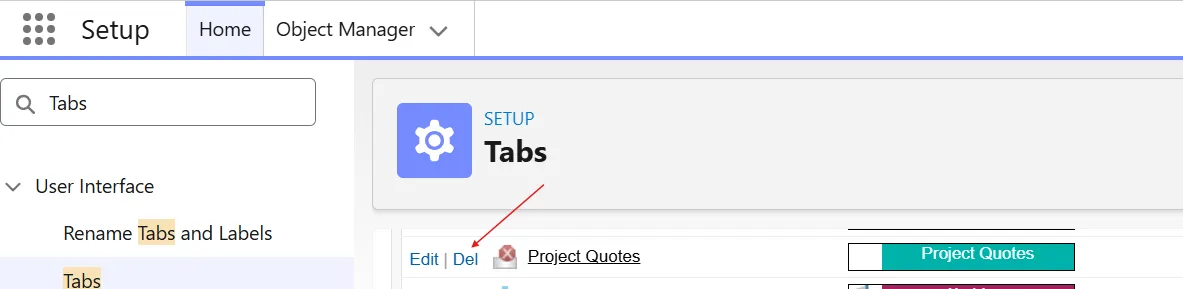
Deleting the legacy “Project Quotes” tab in Setup → Tabs
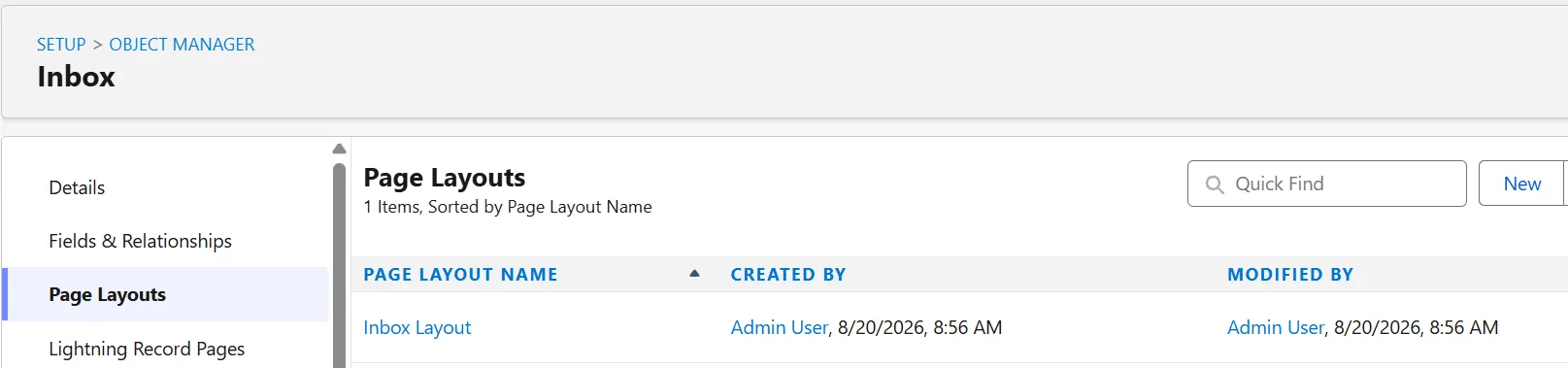
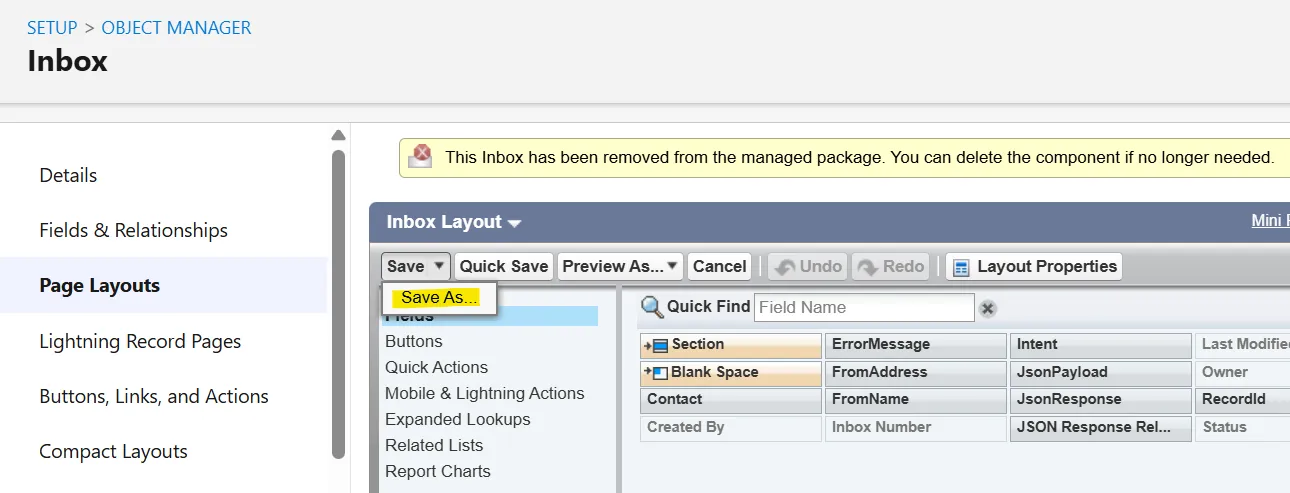
Opening the Inbox page layout to Save As a copy
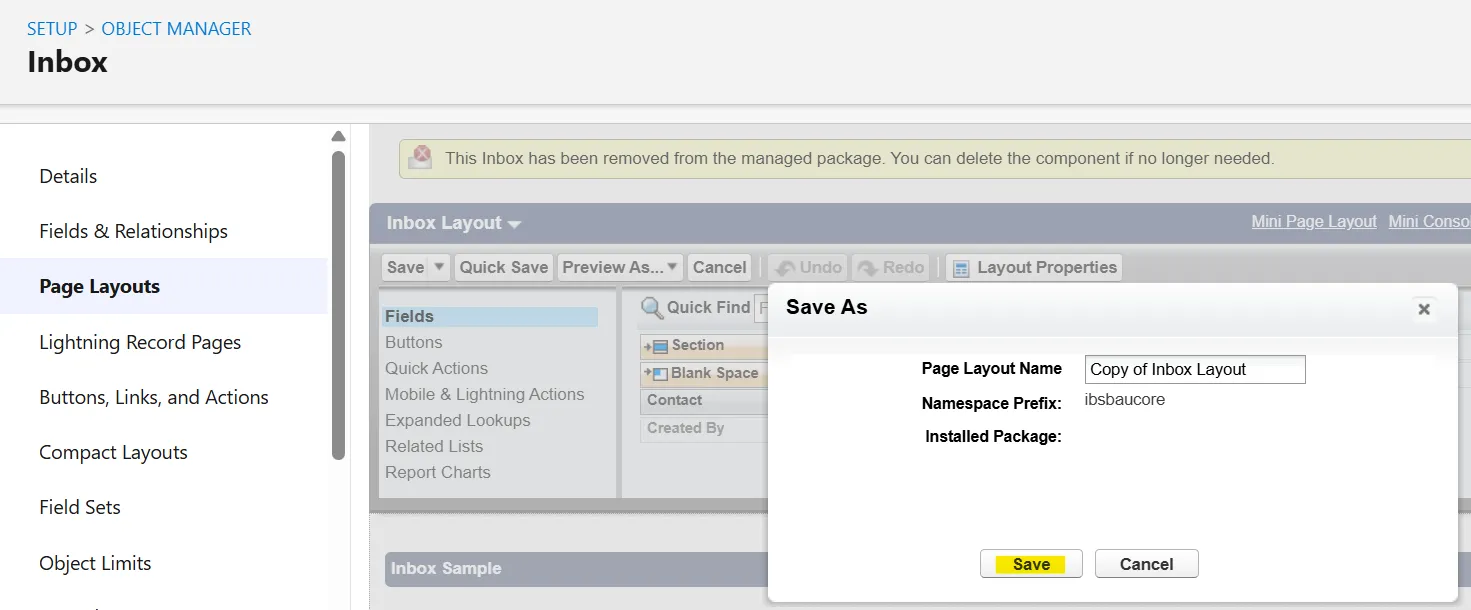
Saving the layout as a new copy (e.g. “Copy of Inbox Layout”)
Choosing Delete from the Page Layouts list dropdown
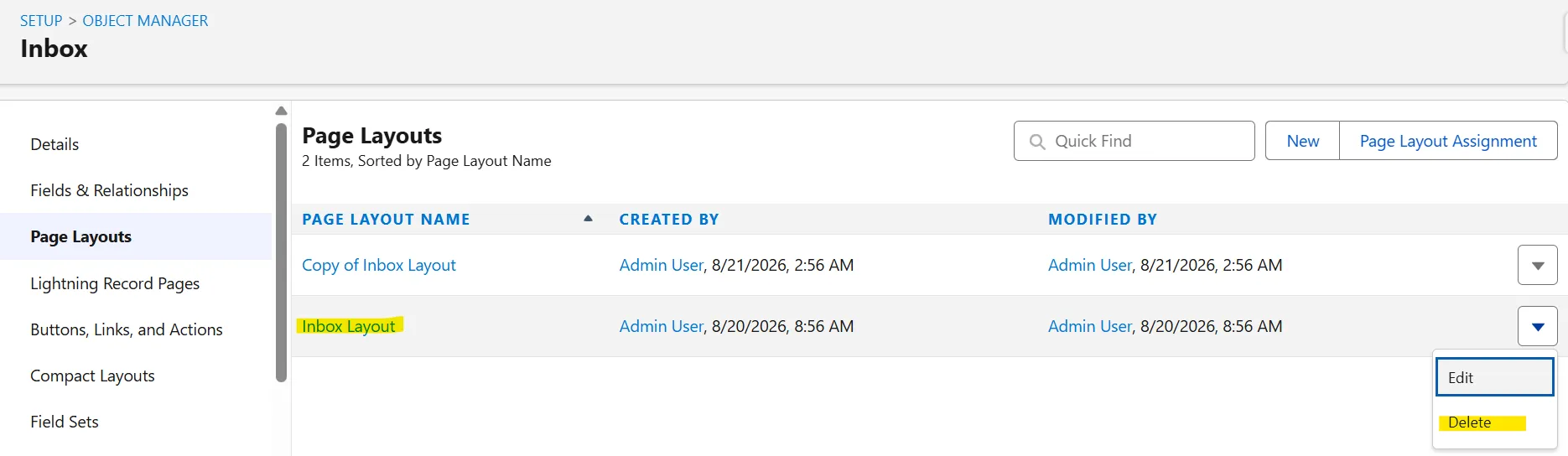
Selecting the new copy when prompted to replace the deleted layout
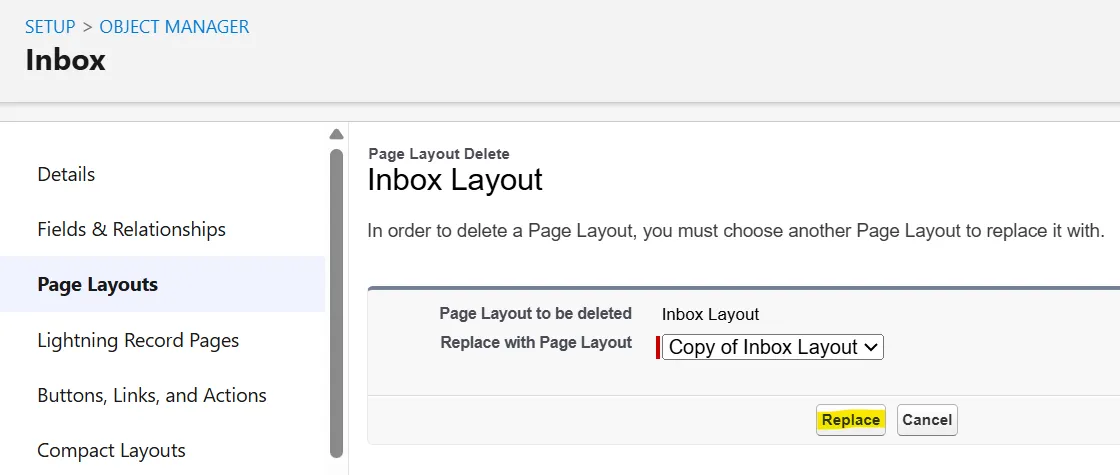
Confirming the replacement
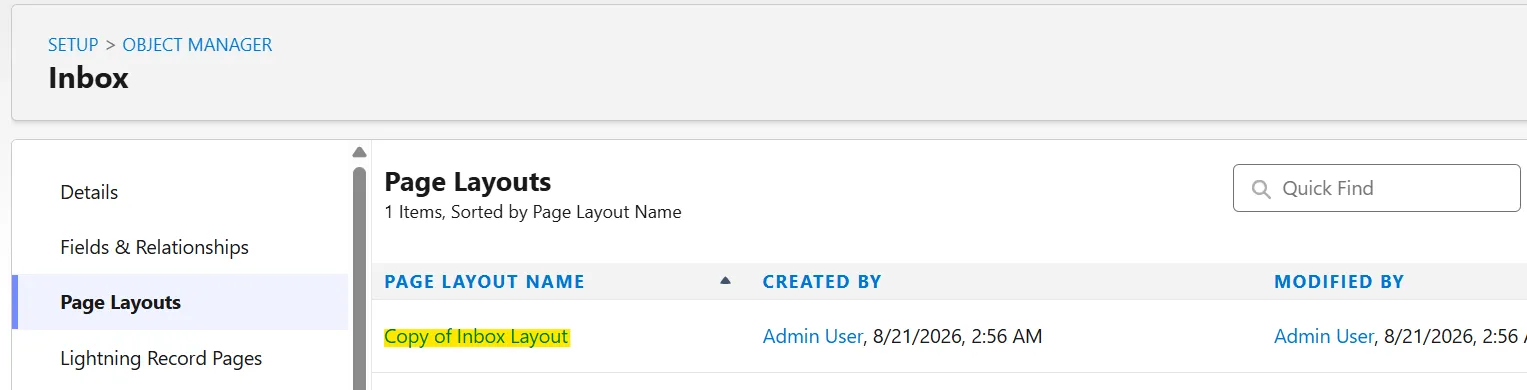
The package re-adding its own “Inbox Layout” after the upgrade
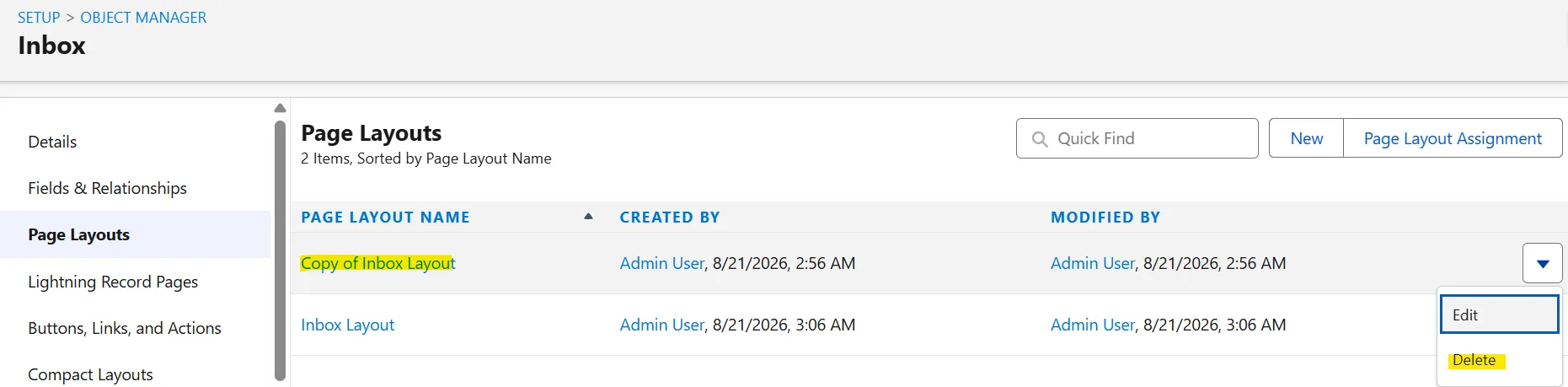
Choosing Delete on the copy again
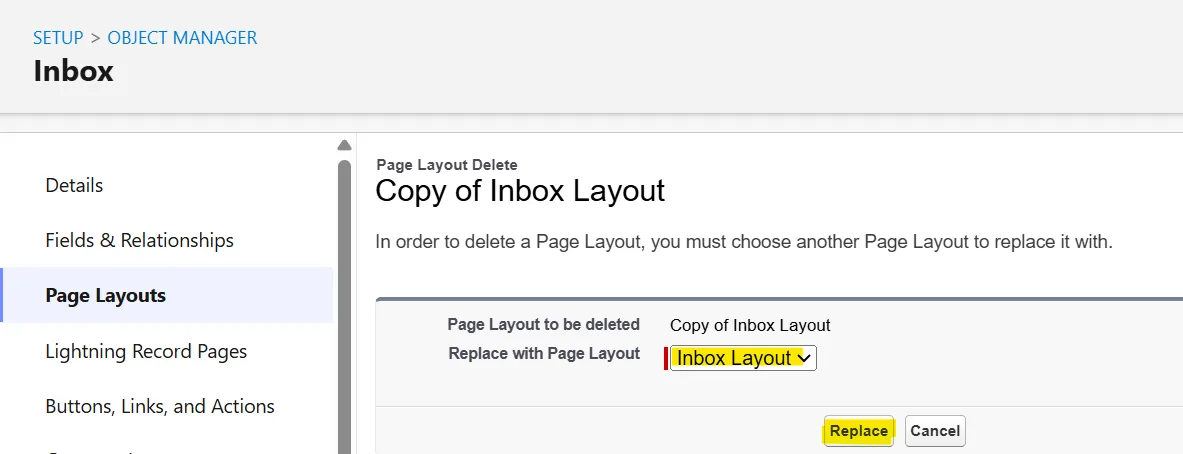
Replacing it with the re-added “Inbox Layout”

The completed layout swap — safe to repeat on future upgrades
Related
- BauCore Release Notes (all versions)
- Older: BauCore V10.12.00 Release Notes
- Upgrade the baucore Managed Package